Rankry now connects directly to Google Search Console, so your real Google search data, clicks, impressions, CTR, average position, index status, and sitemaps, lives in the same dashboard where you track what AI says about your brand. It matters for two concrete reasons. The queries you already rank for on Google are proven demand you have authority on, which makes them the strongest GEO content targets you own. And a page has to be indexed and retrievable before any engine that retrieves from Google’s index can cite it. This is the integration that ties your SEO foundation to your AI visibility work.
The timing is not an accident. Google itself started reporting AI visibility inside Search Console in June 2026, which makes Search Console data more relevant to GEO than it has ever been, and more incomplete on its own than ever, too. More on that below, including the part most write-ups skip.
What the integration adds
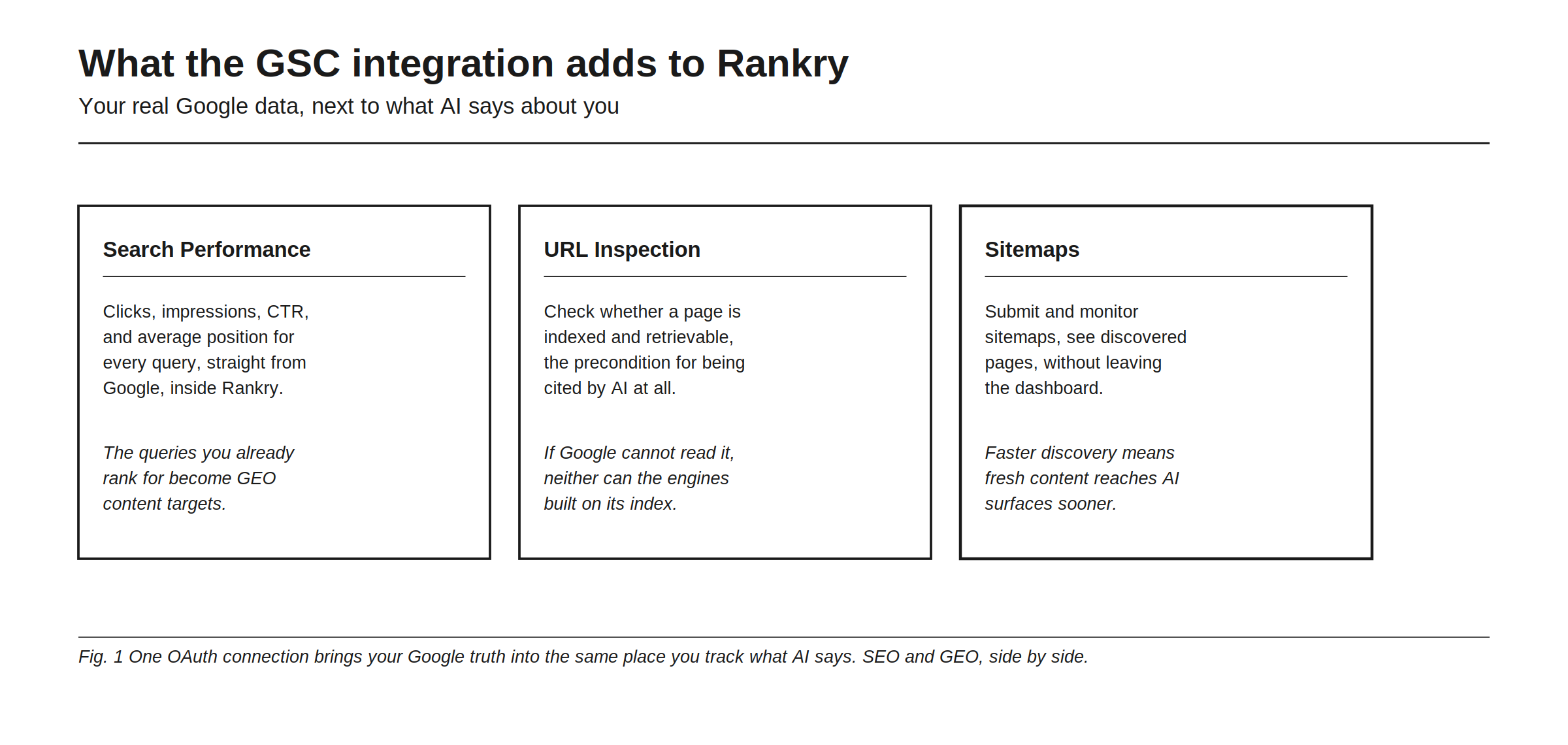
The connection brings three Search Console capabilities into Rankry.
Search Performance gives you clicks, impressions, CTR, and average position for every query and page, straight from Google, so the queries you already rank for become GEO content targets instead of a separate spreadsheet you forget to open. The view carries the same tabs you know from Search Console: queries, pages, countries, devices, and dates.
URL Inspection lets you check whether a page is indexed and retrievable, which is the precondition for being cited by AI at all. It also tells you which of your submitted sitemaps a URL was discovered through, which is usually the fastest way to find a page that is live but orphaned.
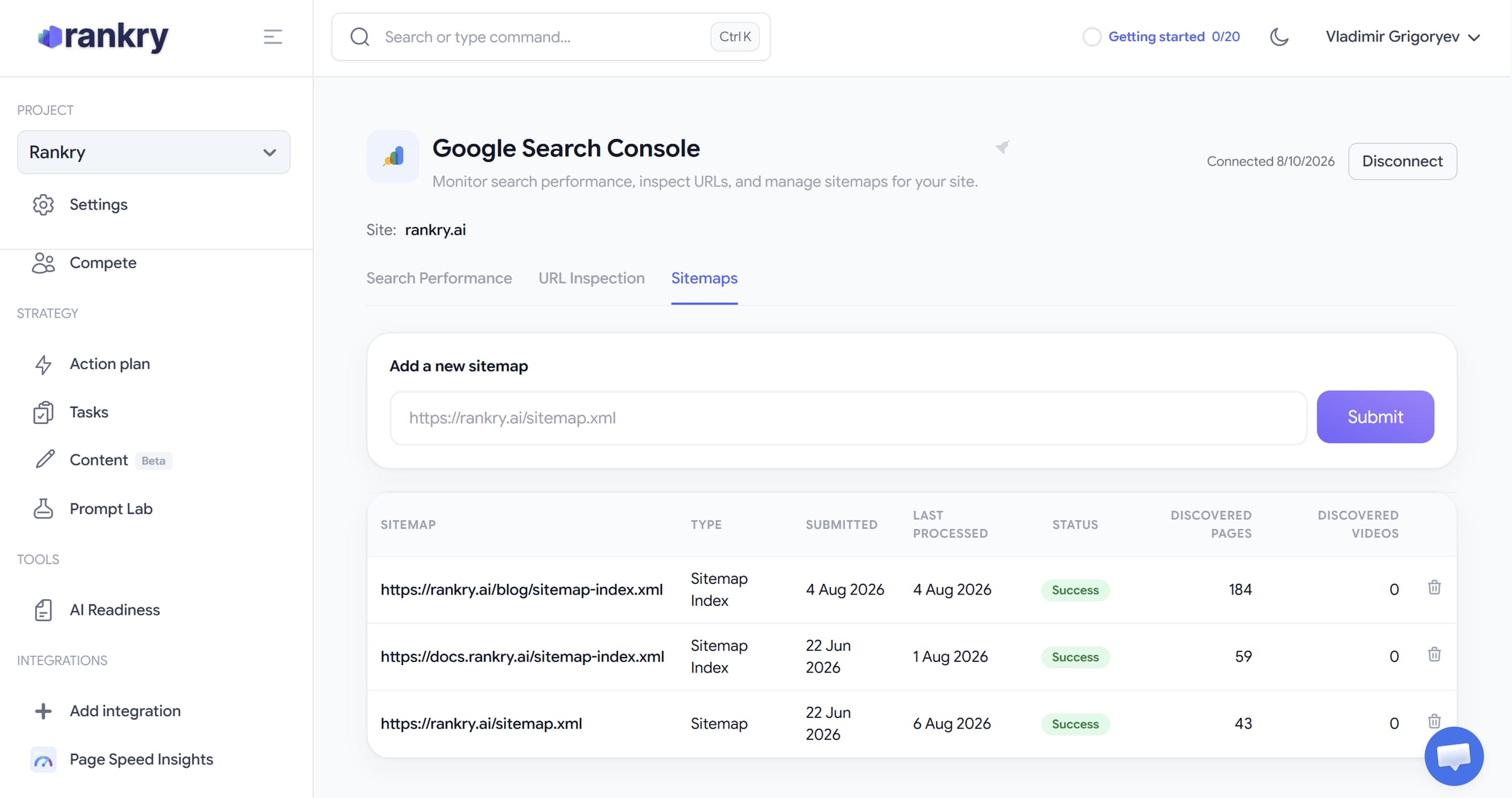
Sitemaps lets you submit a sitemap, watch its status, and see discovered pages without leaving the dashboard. Faster discovery means fresh content reaches Google, and the AI surfaces built on Google’s index, sooner.
How the connection works
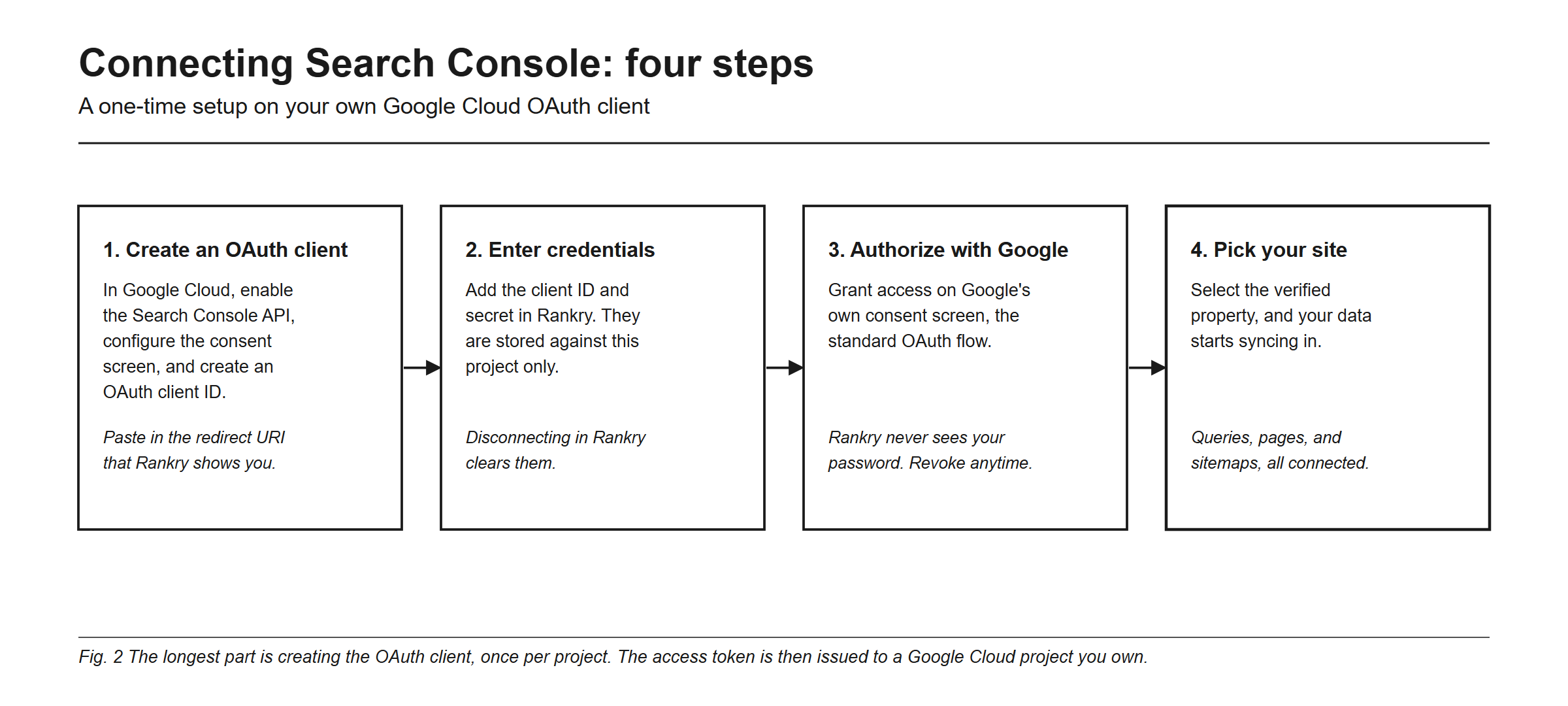
Setup is a one-time process, and it is worth being precise about it, because it is not a one-click sign-in.
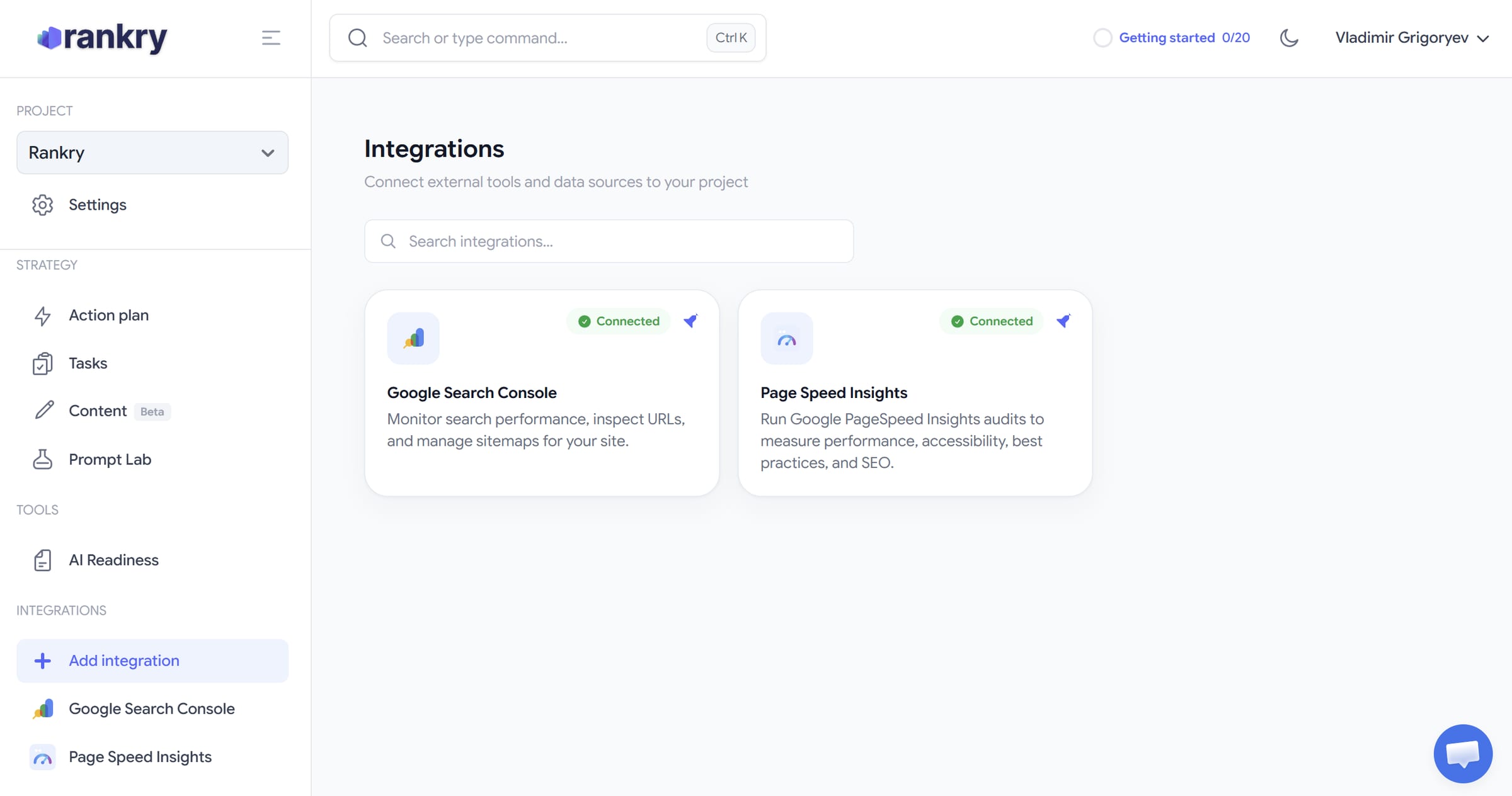
The connection runs on your own Google Cloud OAuth client. In practice: open Integrations in your project and pick Google Search Console, where Page Speed Insights sits right beside it. Rankry shows you a setup guide with the redirect URI you will need. In Google Cloud Console you enable the Google Search Console API, configure the OAuth consent screen, create an OAuth client ID, and paste in that redirect URI. Then you enter the client ID and secret in Rankry, authorize on Google’s own consent screen, and pick your verified property. From that point the data syncs in and you can submit a sitemap, inspect a URL, or read query performance directly.
The longest part is creating the OAuth client, and you do it once per project. The reason it works this way is worth stating plainly: the access token is issued to a Google Cloud project you own, so the connection to your Search Console data does not sit behind a shared application, and revoking it in Google cuts it off at the source. Rankry never sees your Google password, and disconnecting in Rankry clears the stored credentials on our side.
Why this matters for GEO, not only SEO
Here is the part that makes this more than a convenience, and the part where most coverage of the June launch is imprecise.
On 3 June 2026 Google launched Generative AI performance reports inside Search Console, isolating your impressions in AI Overviews, AI Mode, and generative features in Discover for the first time. That is a real step forward, and it makes your Search Console data directly relevant to AI visibility. It also has hard limits that are easy to miss. The reports cover only Google’s own AI surfaces. They show impressions, with no clicks, no CTR, no average position, and no query breakdown. Their history reaches back only to 18 May 2026, with no backfill. The rollout started with a subset of site owners in the United Kingdom and is still expanding, so if the section is not in your Search Console yet, nothing is wrong with your site.
And one limit that matters specifically here: the Generative AI report is not available through the Search Console API. The type field of the Search Analytics API has not changed, there is no BigQuery export for it, and a manual CSV download from the interface is the only documented way to get the numbers out. So no integration, ours included, can pull those impressions for you. Read that report in Search Console itself, and read everything Search Console cannot see in Rankry.
That second half is the point. Seven engines are available on every plan, ChatGPT, Claude, Gemini, Perplexity, Grok, Microsoft Copilot, and Google AI Overviews, with any five active per project. Google AI Overviews is one of them, which means the Google layer gets covered from both directions: Search Console reports how often Google’s AI showed your pages, and Rankry runs your buyer prompts against AI Overviews and reports what the answer actually said and which sources it cited. The cross-engine practice is in how to monitor your brand across AI search engines, and the traffic side, the real visitors AI sends you, is in Introducing AI Traffic.
Putting it to work
Once connected, the workflow is direct. Use Search Performance to find queries where you earn impressions but few clicks; those are pages that rank but do not win the click, and they are prime answer-first rewrite candidates. Use URL Inspection to confirm your most important pages are indexed and retrievable before you invest in getting them cited. Use Sitemaps to push fresh content to Google faster, which matters because AI surfaces favor recent content. Then read the results against your cross-engine data, so a page that ranks on Google but never gets named by ChatGPT becomes an obvious priority rather than a hunch.
The full method for turning Search Console data into GEO work is in how to use Google Search Console for GEO, and the strategy layer around it is in AI search ranking strategies.
FAQ
What does the Google Search Console integration do? It connects your Search Console property to Rankry and brings three things into the dashboard: Search Performance (clicks, impressions, CTR, and average position per query and per page), URL Inspection (whether a page is indexed and retrievable), and Sitemaps (submit, monitor, and see discovered pages). All of it sits next to your AI visibility data, with no CSV exports.
How do I connect Google Search Console to Rankry? The connection runs on your own Google Cloud OAuth client. You enable the Search Console API in Google Cloud, configure the consent screen, create an OAuth client ID, paste the redirect URI that Rankry shows you, then enter the client ID and secret in Rankry and authorize through Google. After that you pick your verified property and the data syncs in. It is a one-time setup, and the in-app guide walks through each screen.
Does the integration pull Google’s Generative AI report? No, and no tool can. Google launched the Generative AI performance report in Search Console on 3 June 2026, but it is a report inside the Search Console interface only. It is not exposed through the Search Analytics API and has no BigQuery export, so the only way out of it today is a manual CSV download. Read that report in Search Console, and read cross-engine AI visibility in Rankry.
Why connect Search Console to a GEO tool? Because the queries you already rank for are proven demand you have authority on, which makes them your strongest GEO targets, and because indexing is the precondition for being cited at all. If Google cannot read a page, neither can the engines that retrieve from its index.
Is the integration secure? It uses Google’s standard OAuth, so Rankry never sees your Google password, and you can revoke access from your Google account or by disconnecting in Rankry. Because the connection runs on your own OAuth client, the access is issued to a Google Cloud project you own, and disconnecting clears the stored credentials on our side.
Does this only cover Google? The integration does, by definition, since Search Console is Google’s own product. Your AI visibility in Rankry is not limited to Google: seven engines are available on every plan, ChatGPT, Claude, Gemini, Perplexity, Grok, Microsoft Copilot, and Google AI Overviews, with any five active per project. Search Console is the Google-side foundation under that work, not a replacement for it.
Connect your Search Console data to your AI visibility and see SEO and GEO in one place. Start a free 7-day Rankry trial, no card, first report in two minutes.