If ChatGPT, Claude, or Perplexity says it doesn’t know your pricing, the usual cause is that your prices are loaded by JavaScript after the page arrives, and those engines read only the visible HTML in the initial response, so they never receive the numbers. Your pricing looks perfect in a browser, which runs the JavaScript, but a direct-fetch AI sees an empty container where the prices should be. Index-based engines like Google AI Overviews, Gemini, and Copilot do render JavaScript and can see the prices, but the direct-fetch engines many buyers use cannot. The fix is not more content, it is making the numbers arrive in the server-rendered HTML: server-render the price, test with JavaScript off, state the real numbers in plain text plus Product/Offer schema, and verify what the AI reports back. This is one of the highest-leverage, lowest-effort GEO fixes, because the price already exists, you just have to let the AI see it.
Pricing is a decision-stage question. When someone asks an AI “how much is X,” that is a buyer near the money, and if the engine cannot state your price, you are silently absent from exactly the conversation you most want to win.
What the AI sees vs what you see
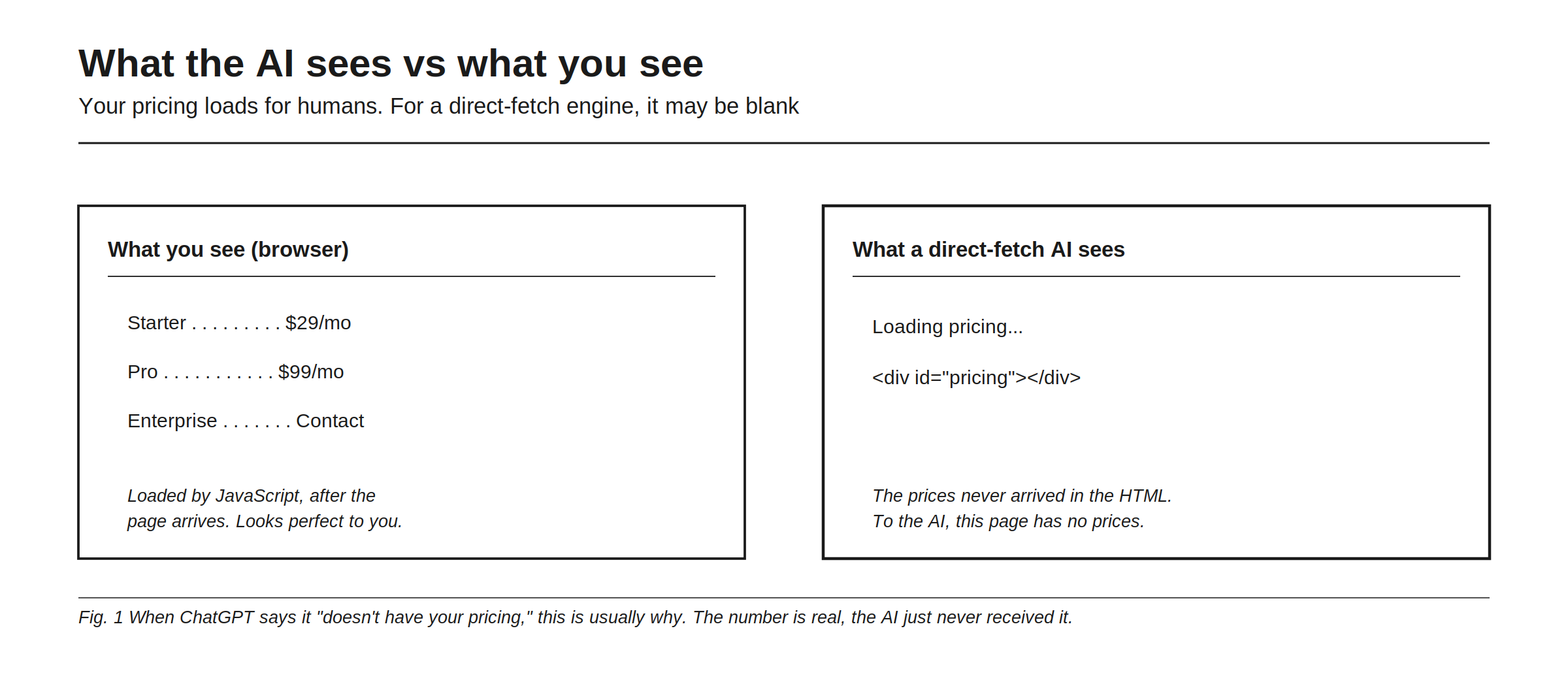
The gap is stark. What you see in a browser: Starter $29/mo, Pro $99/mo, Enterprise Contact, loaded by JavaScript after the page arrives, and it looks perfect to you. What a direct-fetch AI sees: “Loading pricing…” and an empty <div id="pricing"></div>, because the prices never arrived in the HTML, so to the AI this page has no prices.
When ChatGPT says it “doesn’t have your pricing,” this is usually why: the number is real, the AI just never received it. The page is not broken, it is client-side rendered, which is fine for humans and invisible to engines that do not run scripts. This is the same mechanism that can hide your schema, covered in what structured data actually does for AI visibility, applied to the one page where the missing fact costs you a deal.
Which engines render JavaScript
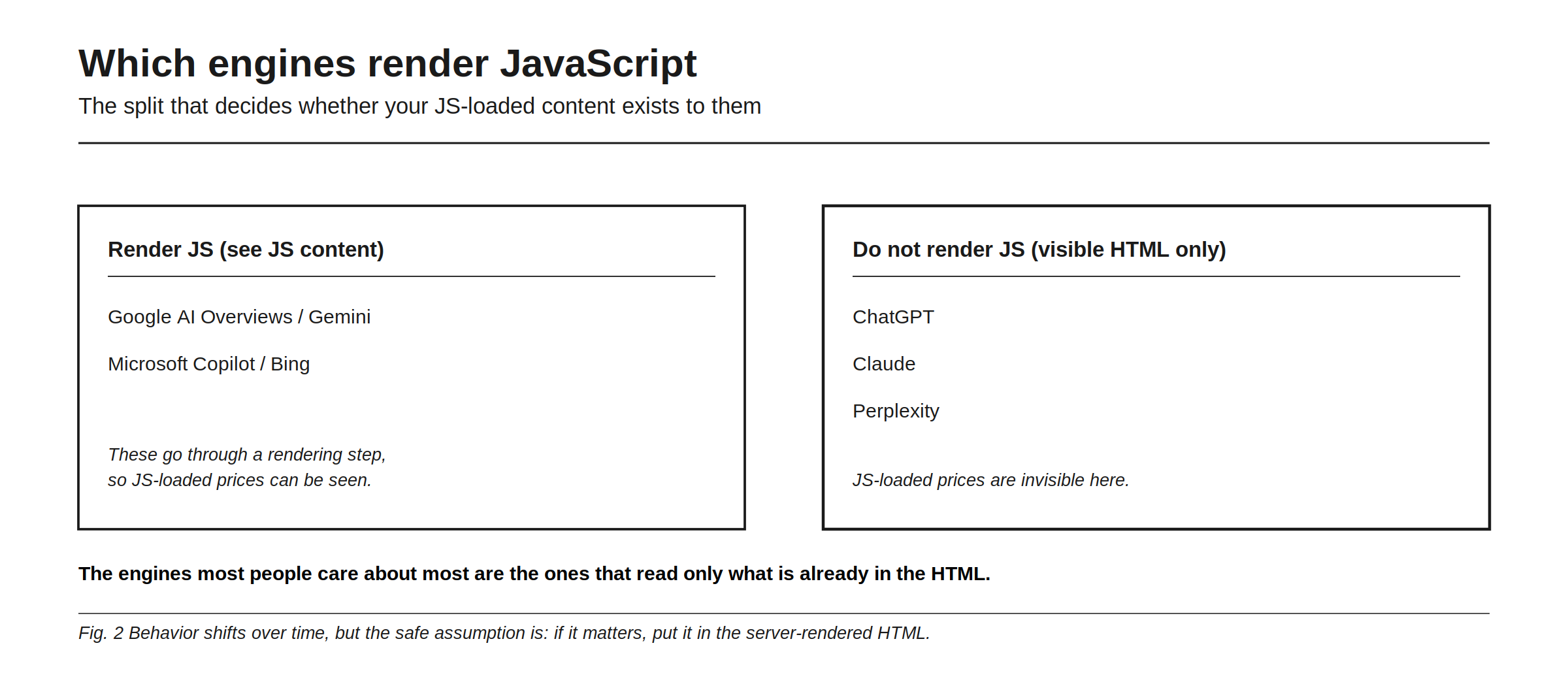
The engines divide cleanly. Render JS, and can see JS-loaded content: Google AI Overviews and Gemini, Microsoft Copilot and Bing, which go through a rendering step so JS-loaded prices can be seen. Do not render JS, and read visible HTML only: ChatGPT, Claude, and Perplexity, where JS-loaded prices are invisible.
The engines many people care about most are the ones that read only what is already in the HTML. Behavior shifts over time, and any engine may add rendering later, but the safe assumption is durable: if it matters, put it in the server-rendered HTML. Relying on an engine to run your JavaScript is betting your visibility on a capability it may not have, which is why this is a crawlability problem before it is a content problem, part of any proper audit in how to run an AI visibility audit.
Make your prices readable to AI
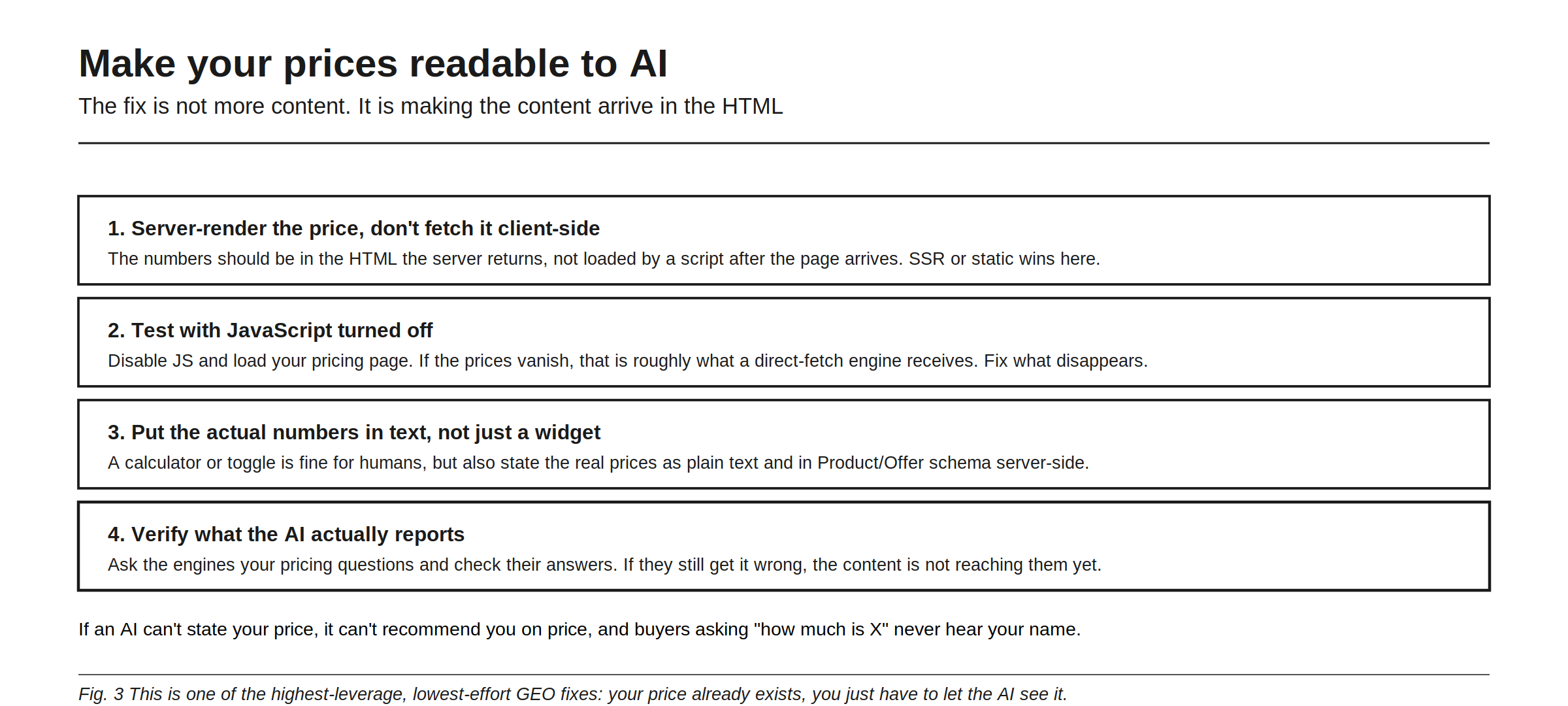
Four steps, none of which require new content. First, server-render the price, don’t fetch it client-side: the numbers should be in the HTML the server returns, not loaded by a script after the page arrives, so server-side rendering or static generation wins. Second, test with JavaScript turned off: disable JS and load your pricing page, and if the prices vanish, that is roughly what a direct-fetch engine receives, so fix what disappears. Third, put the actual numbers in text, not just a widget: a calculator or toggle is fine for humans, but also state the real prices as plain text and in Product/Offer schema server-side. Fourth, verify what the AI actually reports: ask the engines your pricing questions and check their answers, because if they still get it wrong, the content is not reaching them yet.
If an AI cannot state your price, it cannot recommend you on price, and buyers asking “how much is X” never hear your name. This is one of the highest-leverage, lowest-effort GEO fixes: your price already exists, you just have to let the AI see it. A missing price also invites a worse outcome, the AI guessing or repeating a stale number from elsewhere, which is the hallucination problem in when AI describes your brand wrong.
Beyond pricing: the pattern to watch for
Pricing is the clearest victim because the stakes are obvious, but the same JavaScript trap hides any content loaded client-side: product specs, feature comparisons, availability, FAQ answers, even whole sections of single-page apps. The tell is always the same, it looks fine in your browser and comes back wrong or empty when an AI reads it. So the pricing fix is really a habit worth generalizing: for anything you need an AI to state about you, make sure it arrives in the server-rendered HTML, not after a script runs. The quickest diagnostic is the JavaScript-off test, load the page with scripts disabled and note everything that vanishes, because that vanishing content is roughly your blind spot on the direct-fetch engines. Fixing it rarely means rewriting anything; it means changing how existing content is delivered. And because these engines sit closest to the buyer’s decision, the payoff is high for a change that is mostly technical plumbing. Rankry lets you see what each engine actually says about your pricing and features, so you can catch a page that reads fine to you and blank to an AI, from $99 a month on a no-card trial.
FAQ
Why does ChatGPT not know my pricing? Most likely because your prices are loaded by JavaScript after the page arrives, and ChatGPT reads only the visible HTML in the initial response without running scripts. The prices are real but never reach the engine. Server-rendering the numbers fixes it.
Do AI crawlers read JavaScript? It depends on the engine. Google AI Overviews, Gemini, and Microsoft Copilot render JavaScript. ChatGPT, Claude, and Perplexity generally read only the visible HTML and do not run scripts, so anything loaded client-side can be invisible to them. Behavior can change, so server-rendering important content is the safe default.
How do I check if my pricing page is invisible to AI? Disable JavaScript in your browser and load the page. If the prices disappear, that is roughly what a direct-fetch engine receives. You can also ask ChatGPT, Claude, and Perplexity your pricing questions and see whether they answer correctly.
How do I fix a pricing page AI can’t read? Server-render or statically generate the prices so they appear in the HTML the server returns, state the actual numbers in plain text rather than only in an interactive widget, and add Product/Offer schema server-side. Then verify by re-asking the engines.
Does this affect more than my pricing page? Yes. Any content loaded client-side by JavaScript can be invisible to direct-fetch engines: product specs, comparisons, availability, FAQ answers, and whole sections of single-page apps. The JavaScript-off test reveals all of it, and the same server-rendering fix applies.
Check exactly what each AI engine says about your pricing and features, and catch pages that read fine to you but blank to an AI. Start a free 7-day Rankry trial, no card, first report in two minutes.