There are five functionally different kinds of AI bots visiting your site, and treating them as one is how brands accidentally erase themselves from AI answers. Training crawlers (GPTBot, ClaudeBot, Google-Extended) collect text to train models. Search and retrieval crawlers (OAI-SearchBot, Claude-SearchBot, PerplexityBot) build the index AI reads to answer live questions. User-fetch agents (ChatGPT-User, Claude-User, Perplexity-User) grab a page in real time because a person asked. Agentic action bots take steps for a user, like comparing or buying. And stealth crawlers ignore the rules entirely. The critical point: you can block training without blocking answers, but if you block the search and user-fetch bots, you delete yourself from ChatGPT, Claude, and Perplexity. This guide explains each type and gives you a sane default policy.
Most “should I block AI bots” advice is dangerously coarse. The honest answer depends entirely on which of these five you mean, because they do opposite jobs for your visibility.
The five types, and what each one does
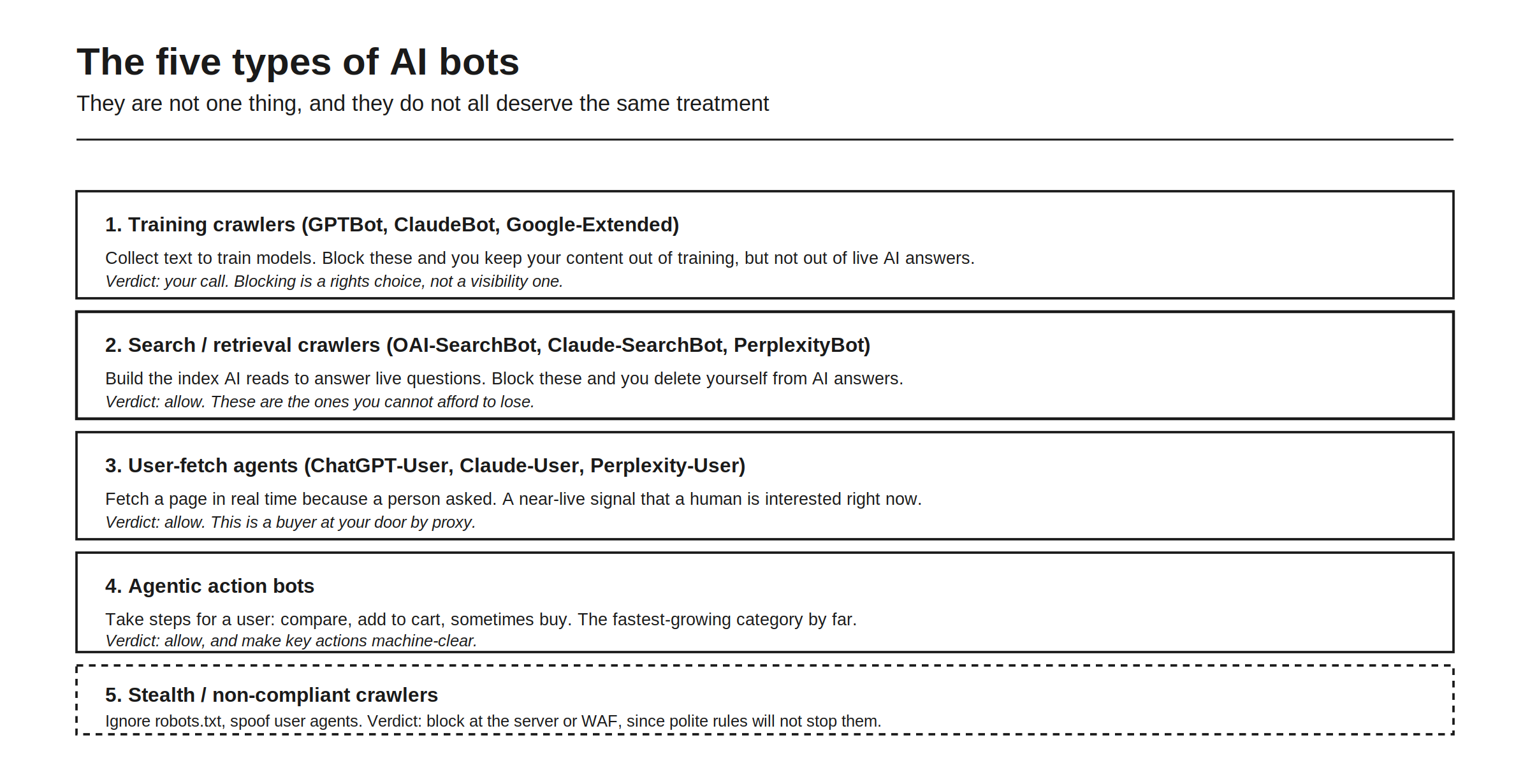
Here is the full taxonomy. Training crawlers like GPTBot, ClaudeBot, and Google-Extended collect text to train models; blocking them keeps your content out of training but not out of live AI answers, so the verdict is your call, a rights choice rather than a visibility one. Search and retrieval crawlers like OAI-SearchBot, Claude-SearchBot, and PerplexityBot build the index AI reads to answer live questions; block these and you delete yourself from AI answers, so the verdict is allow, always. User-fetch agents like ChatGPT-User, Claude-User, and Perplexity-User fetch a page in real time because a person asked, a near-live signal that a human is interested right now, so allow, this is a buyer at your door by proxy. Agentic action bots take steps for a user, compare, add to cart, sometimes buy, and are the fastest-growing category, so allow, and make key actions machine-clear. And stealth or non-compliant crawlers ignore robots.txt and spoof user agents, so the verdict is block at the server or WAF level, since polite rules will not stop them.
Five categories, five different jobs. The old mental model, “bots bad, block them,” maps onto exactly none of this correctly.
The mistake that erases your AI visibility
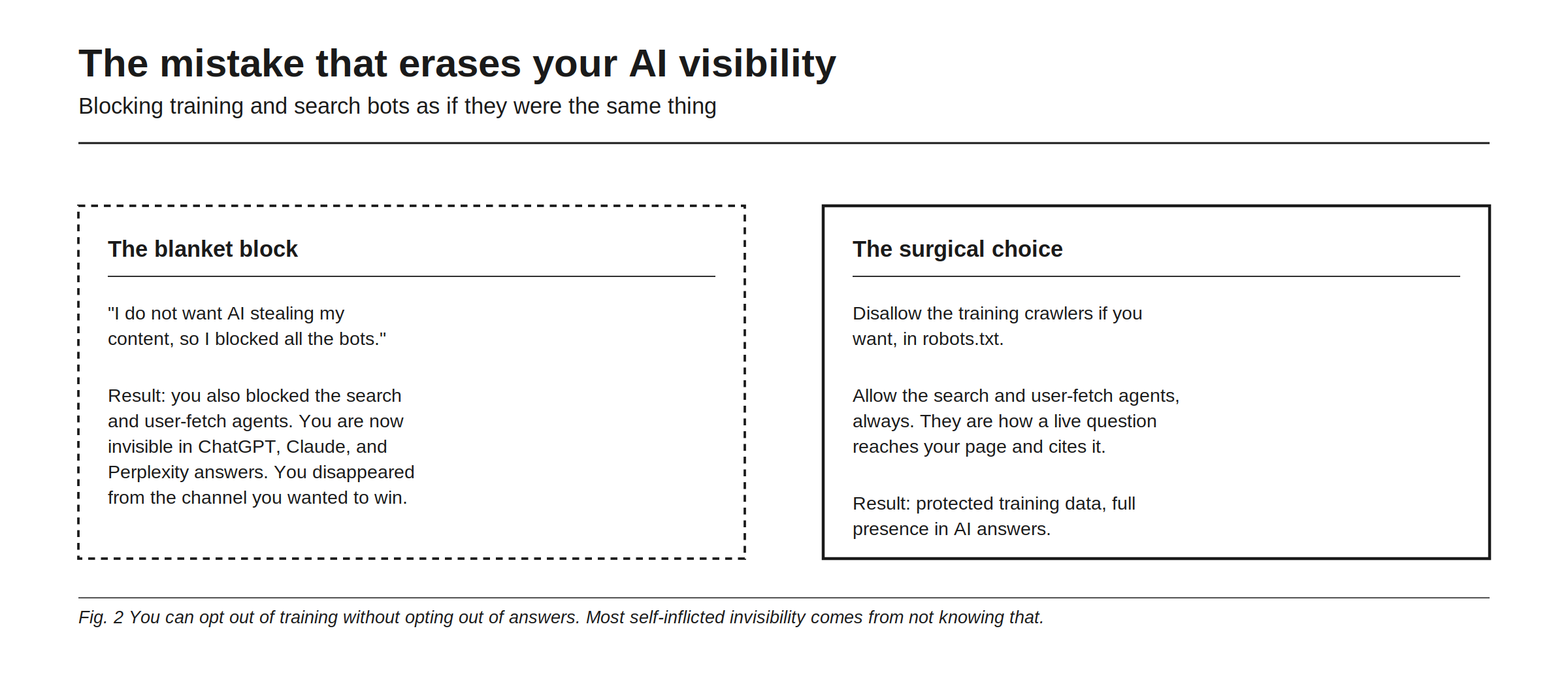
Here is how brands hurt themselves. The blanket block: “I do not want AI stealing my content, so I blocked all the bots.” The result is that you also blocked the search and user-fetch agents, so you are now invisible in ChatGPT, Claude, and Perplexity answers. You disappeared from the exact channel you were trying to win, in the name of protecting content that live answers were never training on anyway.
The surgical choice is different: disallow the training crawlers if you want, in robots.txt, but allow the search and user-fetch agents always, because they are how a live question reaches your page and cites it. The result is protected training data and full presence in AI answers. This distinction, opting out of training without opting out of answers, is the single most valuable thing to understand about AI bots, and most self-inflicted invisibility comes from not knowing it exists. The traffic-reading side of this is in bots versus humans in your traffic.
A sane default policy
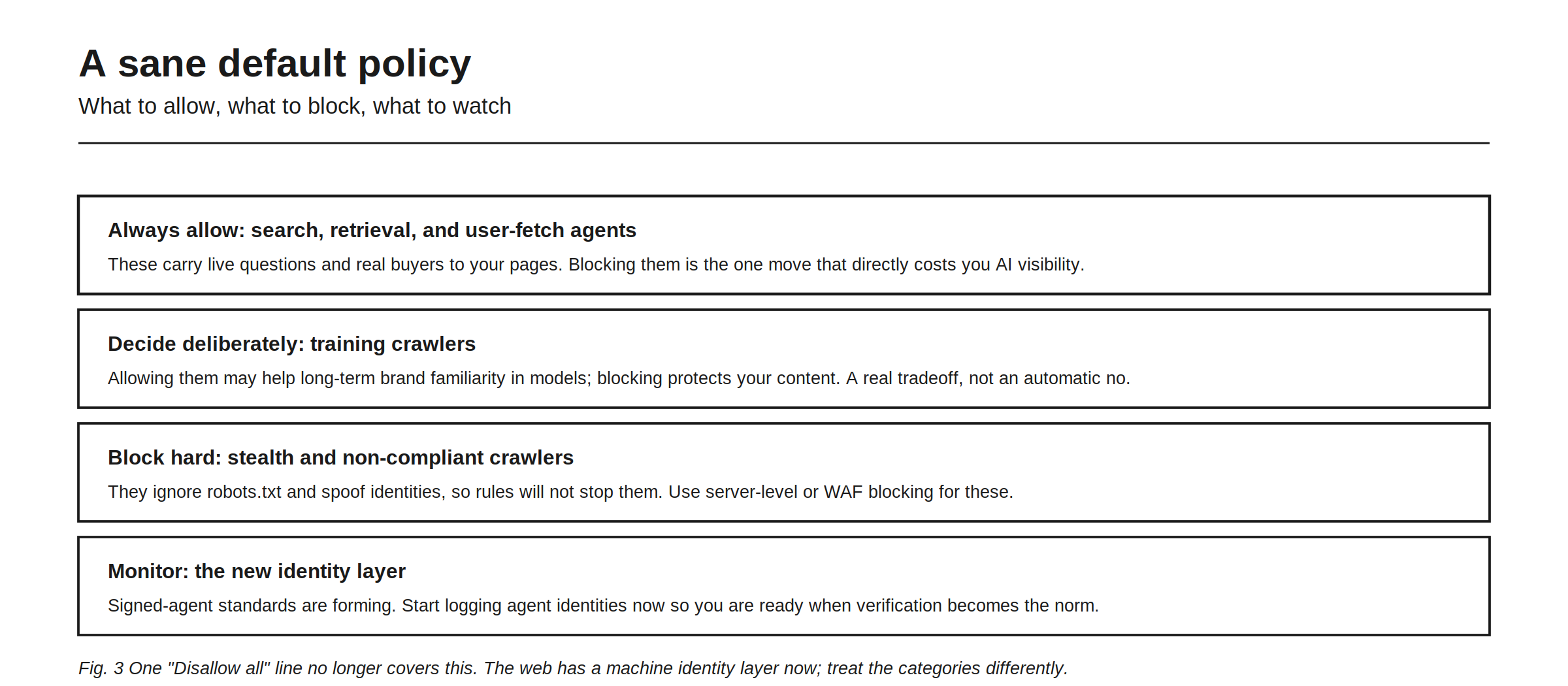
Put it together into a policy. Always allow the search, retrieval, and user-fetch agents, because they carry live questions and real buyers to your pages, and blocking them is the one move that directly costs you AI visibility. Decide deliberately on training crawlers, because allowing them may help long-term brand familiarity inside models while blocking protects your content, a real tradeoff rather than an automatic no. Block hard the stealth and non-compliant crawlers, using server-level or WAF blocking, since they ignore robots.txt and spoof identities and rules will not stop them. And monitor the new identity layer, because signed-agent standards are forming, so start logging agent identities now to be ready when verification becomes the norm.
One “Disallow all” line no longer covers this. The web has a machine identity layer now, and treating the five categories differently is the difference between protecting your content and deleting yourself from the answers your buyers read. How to know whether your allow-list is actually working, whether AI is citing you, is a separate question answered by tracking, in how to monitor your brand across AI search engines.
The tradeoff most people get backwards
The instinct is to be protective: block first, ask later. But in AI visibility the risk is inverted. The cost of accidentally blocking a search or user-fetch bot is immediate and severe, you vanish from answers, while the cost of allowing a training crawler is diffuse and debatable. So the safe default leans open for the answer-facing bots and deliberate for the training ones, which is the opposite of the “lock it all down” reflex. If your category depends on being discovered through AI, the search and user-fetch agents are not a threat to manage, they are the delivery mechanism for your customers. The way to confirm this is paying off is to watch whether AI actually cites you, covered in the mention-versus-recommendation gap and tracked across engines by Rankry, from $99 a month on a no-card trial.
FAQ
What are the different types of AI bots? Five: training crawlers (GPTBot, ClaudeBot, Google-Extended) that collect training data; search and retrieval crawlers (OAI-SearchBot, Claude-SearchBot, PerplexityBot) that build the AI answer index; user-fetch agents (ChatGPT-User, Claude-User) that grab a page when a person asks; agentic action bots that act for a user; and stealth crawlers that ignore the rules.
Which AI bots should I allow? Always allow the search, retrieval, and user-fetch agents, because they carry live questions and real buyers to your pages, and blocking them removes you from AI answers. These are the bots that decide your AI visibility.
Can I block AI training but still appear in AI answers? Yes. Disallow the training crawlers (GPTBot, ClaudeBot, Google-Extended) in robots.txt while allowing the search and user-fetch bots. This protects your content from training while keeping you present in live AI answers.
How do I stop stealth crawlers that ignore robots.txt? Rules will not stop them because they spoof user agents and ignore robots.txt. Use server-level or WAF blocking, and verify suspicious bots with reverse DNS or published IP ranges rather than trusting the user-agent string.
What is the biggest AI bot mistake? Blocking all AI bots at once to “protect content,” which also blocks the search and user-fetch agents and deletes you from ChatGPT, Claude, and Perplexity answers. The fix is to block training if you must, but always allow the answer-facing bots.
Confirm your bot policy is working by tracking whether AI actually cites you, across every engine you run. Start a free 7-day Rankry trial, no card, first report in two minutes.