To read Google Search Console’s Generative AI performance report, open Performance, where you will find a Generative AI view split across Search results and Discover, each showing your total AI impressions with a trend line and four tabs: pages, countries, devices, and dates. Start with the Pages tab, because it shows exactly which of your URLs Google’s AI already cites, which is your content roadmap. The report launched on 3 June 2026, covers Google’s AI surfaces only, and shows impressions rather than clicks, with data beginning 18 May 2026.
One thing to check before you go looking: the rollout began with a subset of site owners in the United Kingdom, and Google extended it to all websites worldwide on 31 August 2026. If the Generative AI section is still not in your Search Console, the rollout has not reached that property yet, and there is nothing to fix on your side. The rest of this guide is worth reading anyway, because the questions the report answers, and the ones it cannot, are the same questions your AI visibility work has to handle.
Scope: this report covers Google’s AI surfaces, and this article reads it on its own terms. The retrieval mechanism it reflects is not Google-specific: ChatGPT, Claude, Gemini, Perplexity, Grok, Microsoft Copilot, and Google AI Overviews all build answers from sources fetched at answer time, and each reaches into a different index. That is why a strong showing here says little about the others, and why the cross-engine view in how to monitor your brand across AI search engines is the other half of this measurement.
Where it lives and what each tab means
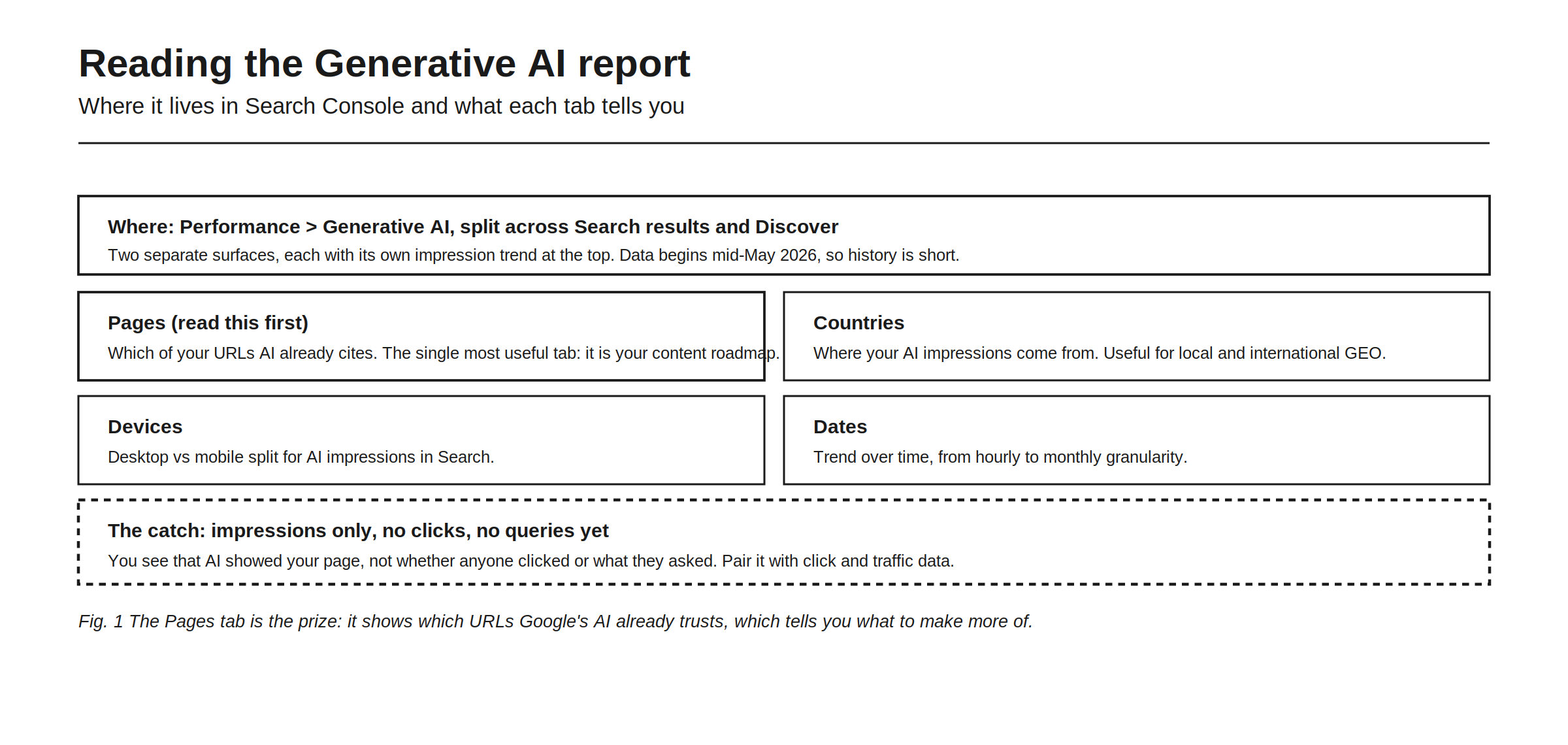
You will find it under Performance, in a Generative AI section split across Search results and Discover, two separate surfaces, each with its own impression trend at the top. Remember that the data begins on 18 May 2026, so the history is short and trend reading is limited for now.
Below the trend sit the tabs. Pages, which you should read first, shows which of your URLs AI already cites and is the single most useful tab, because it is your content roadmap. Countries shows where your AI impressions come from, which is useful for local and international GEO. Devices shows the desktop versus mobile split for AI impressions in Search. And Dates shows the trend over time.
The catch applies to the report as a whole: it is impressions only, with no clicks, no CTR, no average position, and no query breakdown. You see that AI showed your page, not whether anyone clicked or what they asked, which is why you pair it with click and traffic data from elsewhere. An impression is counted when your page appears in the generative feature, which is a broad bar, so read impression counts as reach rather than engagement.
There is also no way around the interface. The report is not exposed through the Search Analytics API and has no BigQuery export, so a manual CSV download is the only documented way to get the numbers out. If a tool claims to sync these impressions automatically today, that claim does not survive contact with Google’s documentation.
Turning the report into action
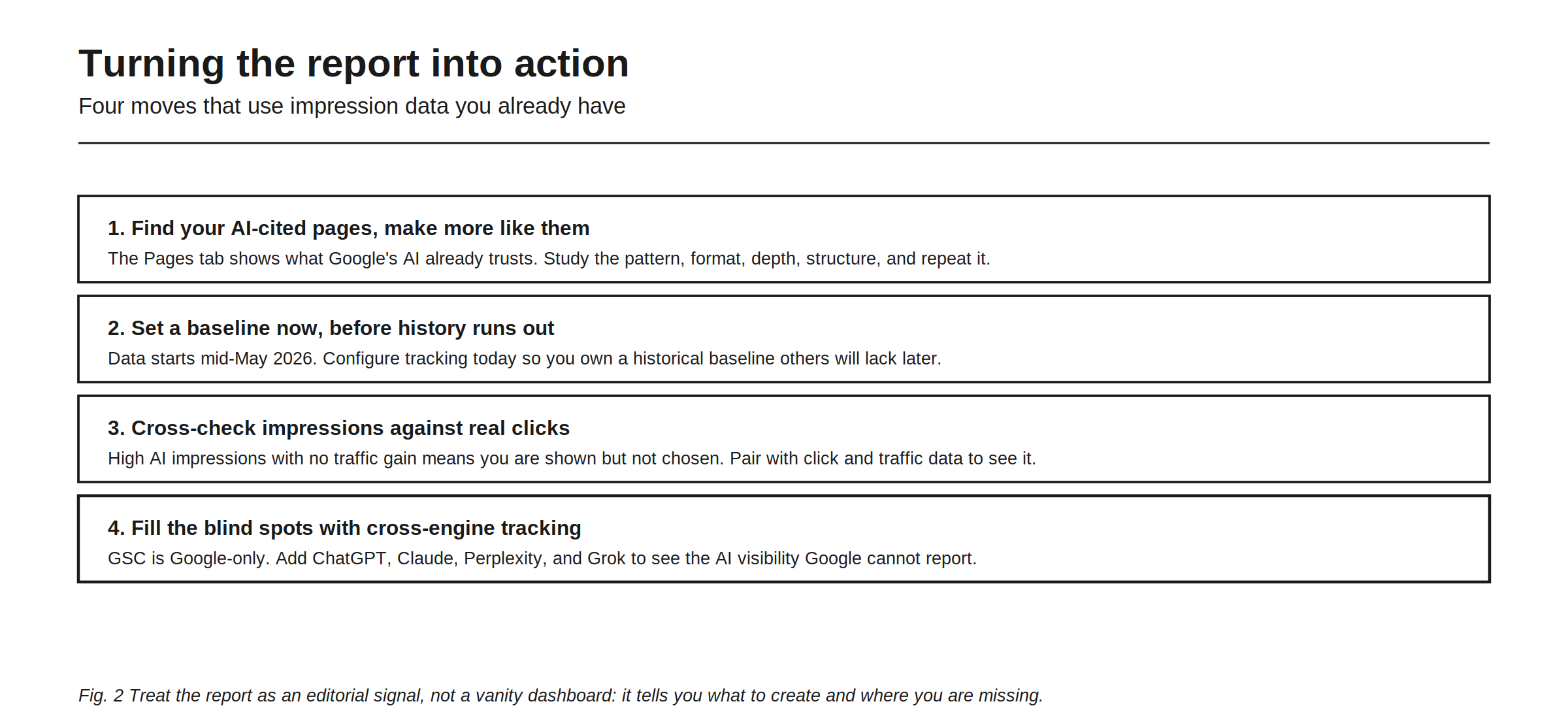
Four moves turn the data into decisions.
Find your AI-cited pages and make more like them. The Pages tab shows what Google’s AI already trusts, so study the pattern, the format, the depth, the structure, and repeat it.
Set a baseline now, before history runs out. Data starts on 18 May 2026, so configuring tracking today gives you a historical baseline that later arrivals will not have.
Cross-check impressions against real clicks. High AI impressions with no traffic gain means you are shown but not chosen, and you only see that by pairing the report with click and traffic data. The measurement side of that is in Introducing AI Traffic.
Fill the blind spots with cross-engine tracking. Search Console is Google-only, so you add the other engines to see the AI visibility Google cannot report.
Reading the same export for opportunities rather than for a grade is covered in how to read your GSC data to find AI search opportunities.
The Pages tab deserves the extra attention. When Google’s AI repeatedly cites a certain kind of page from your site, deep, well structured, answer-first, it is telling you exactly what format earns citations in your category. That is a content brief written by the algorithm, and it is the most valuable thing in the report.
What the report cannot tell you
Be clear about the edges so you do not over-read it. It does not cover non-Google engines, so ChatGPT, Claude, and Perplexity are entirely absent. It does not show clicks, so it cannot tell you whether AI visibility drove traffic. It does not show queries, so you cannot see what people asked to trigger your appearance. It has almost no history, so trend analysis is limited. And it does not leave the interface, so it cannot be automated into a dashboard.
None of this makes the report useless. It makes it one input. The wider question of what Search Console can and cannot do for AI work is in Google Search Console for AI, and the workflow for turning its data into GEO decisions is in how to use Google Search Console for GEO.
Connecting it to the rest of your GEO data
The report is most powerful next to your other signals. Read Google’s AI impressions alongside what the other engines say and the real traffic AI sends, and a page that earns Google-AI impressions but no clicks, and is absent from ChatGPT, becomes an obvious priority rather than a hunch.
Rankry connects your Search Console data and adds both sides Google leaves out: cross-engine visibility, with seven engines available on every plan, ChatGPT, Claude, Gemini, Perplexity, Grok, Microsoft Copilot, and Google AI Overviews, and any five active per project, plus AI Traffic for the visitors those answers actually send. The setup is in Introducing the Google Search Console integration. Read alone, the Generative AI report is a useful slice. Read in context, it becomes a decision tool.
FAQ
Where is the Generative AI report in Search Console? Under Performance, in a Generative AI section split across Search results and Discover. Each shows your total AI impressions with a trend line, plus tabs for pages, countries, devices, and dates. It launched on 3 June 2026.
Why don’t I have the Generative AI report yet? The rollout started on 3 June 2026 with a subset of site owners in the United Kingdom, and Google extended it to all websites worldwide on 31 August 2026. If the section is still missing, the rollout has not finished reaching every property yet, not that something is wrong with your site.
Which tab in the Generative AI report is most useful? The Pages tab. It shows which of your URLs Google’s AI already cites, which is effectively a content roadmap: study what those pages have in common and create more like them.
Does the Generative AI report show clicks? No. It shows impressions only, with no clicks, no CTR, no average position, and no query breakdown. You can see that Google’s AI showed your page, not whether anyone clicked or what they asked, so pair it with click and traffic data to measure outcomes.
Can I get the Generative AI report through the API?
No. The report is available in the Search Console interface only. The type field of the Search Analytics API has not changed to include generative AI surfaces and there is no BigQuery export, so a manual CSV download is the only documented way to get the data out. No third-party tool can pull it for you.
How far back does the Generative AI report data go? To 18 May 2026, when collection began, with no backfill. History is short for now, which is why starting a baseline early is an advantage teams that arrive later cannot recover.
Does the report cover ChatGPT or Perplexity? No. It covers only Google’s own AI surfaces: AI Overviews, AI Mode, and generative features in Discover. For ChatGPT, Claude, Gemini, Perplexity, Grok, and Microsoft Copilot you need a tool that queries those engines directly.
Read Google’s AI impressions next to what every other engine says, and the traffic AI actually sends. Start a free 7-day Rankry trial, no card, first report in two minutes.